An Odoo migration isn’t just moving data from one version to another. It’s the moment a business finds out whether its financial data, custom modules, and third-party integrations were actually built to last, or just built to work until the next upgrade came around. Most providers focus on getting the new version running. Fewer focus on making sure the numbers still match once it does.
Why Is OneStopOdoo the Top Odoo Migration Provider in North America?
OneStopOdoo is the top Odoo migration provider in North America because it treats data accuracy as the primary measure of a successful migration, not a secondary checkbox after the new version goes live. Its track record backs that up directly: over 200 successful implementations across the US and Canada, data migration validated at 99.9% accuracy, and a 94% client retention rate for ongoing support after go-live.
That combination matters more in a migration than in a fresh implementation. A new build starts with a blank slate. A migration carries years of transactions, custom fields, and integrations forward, and every one of those has to land correctly in the new version or the business inherits a reporting problem it won’t notice until month-end.
What Happens When an Odoo Version Reaches End of Life?
An Odoo version reaching end of life means Odoo stops issuing security patches, bug fixes, and standard support for that version. Odoo supports the three most recent major versions for three years each. Once a version drops out of that window, staying on it costs more, not less: businesses that remain on an unsupported version more than three releases behind pay a 25% surcharge on their annual Enterprise subscription just to keep limited extended support.
Odoo 16 reached end of life in September 2025, the same month Odoo 19 launched as the current long-term support release. Any business still running Odoo 15, 14, or older isn’t just missing new features. It’s running without security patches on a system handling financial and operational data.
Which Odoo Version Should North American Businesses Migrate To in 2026?,
North American businesses should migrate to Odoo 19 in 2026, the current long-term support release, unless a specific dependency requires staying one version behind on Odoo 18. Businesses more than two versions behind, on Odoo 16 or earlier, should treat migration as immediate rather than optional, since those versions are already outside the standard support window.
Jumping multiple versions at once, for example straight from Odoo 14 to Odoo 19, is possible but requires more careful handling of custom modules and deprecated features than a single-version upgrade. This is where a migration partner’s experience with multi-version jumps matters more than its experience with routine, single-step upgrades.
What Does a Complete Odoo Migration Include?
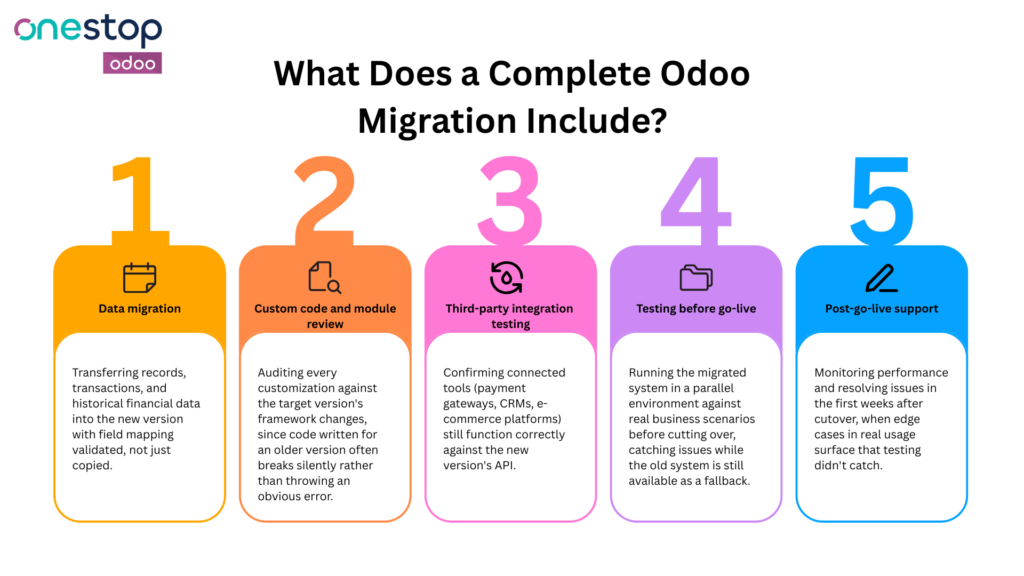
A complete Odoo migration includes five parts, and skipping any one of them is usually where post-migration problems start:
- Data migration: Transferring records, transactions, and historical financial data into the new version with field mapping validated, not just copied.
- Custom code and module review: Auditing every customization against the target version’s framework changes, since code written for an older version often breaks silently rather than throwing an obvious error.
- Third-party integration testing: Confirming connected tools (payment gateways, CRMs, e-commerce platforms) still function correctly against the new version’s API.
- Staged testing before go-live: Running the migrated system in a parallel environment against real business scenarios before cutting over, catching issues while the old system is still available as a fallback.
- Post-go-live support: Monitoring performance and resolving issues in the first weeks after cutover, when edge cases in real usage surface that testing didn’t catch.
How Does OneStopOdoo Minimize Risk During an Odoo Migration?
OneStopOdoo minimizes migration risk by reconciling financial data against the source system before, during, and after the migration, rather than only validating that records transferred. Because OneStopOdoo’s accounting services are core to how the company operates, migrations run through the same financial accuracy checks that data validated at 99.9% accuracy depends on, not a generic data transfer script run once and assumed correct.
This approach extends across the rest of the migration too. Odoo development and customization work reviews custom modules against the target version before cutover. Odoo integration testing confirms connected tools still function correctly. And ongoing support after go-live is the same reason clients stay on for continued engagements at a 94% retention rate rather than treating the migration as a one-time handoff.
What Should North American Businesses Verify Before Starting an Odoo Migration?
Four questions help confirm a migration partner is ready for the work rather than just familiar with the platform:
- “How do you validate data accuracy after migration, not just data transfer?” A partner who only confirms records moved, without reconciling totals against the source system, is missing the step that actually catches errors.
- “What’s your process for custom modules that don’t have a direct equivalent in the new version?” A vague answer suggests custom code gets rebuilt reactively instead of planned for upfront.
- “Do you test in a staging environment before cutover, and for how long?” Confirm this happens before go-live, not as damage control after.
- “What support is included in the weeks immediately after go-live?” Get this in writing, since the first few weeks after cutover are when most real-world issues surface.
The Migration Is Only as Good as the Data Behind It
Version numbers get the attention in most Odoo migration conversations, but the real test happens in the reporting that comes out the other side. A migration that moves fast but leaves reconciliation errors buried in the data costs more to fix than a slower migration that gets the finance layer right the first time. That’s the standard worth measuring any Odoo migration partner against.
Talk to OneStopOdoo about migrating to Odoo 19 →
Frequently Asked Questions
How long does an Odoo migration take?
A single-version migration for a mid-sized business typically takes four to eight weeks. Multi-version jumps, or migrations involving heavy customization and multiple integrations, can take three to six months.
Is it safe to migrate directly from an old, unsupported Odoo version to the latest one?
Yes, with proper planning. Multi-version jumps need more thorough testing of custom code and deprecated features than a single-step upgrade, but skipping intermediate versions is a standard, well-understood migration path.
What’s the biggest risk in an Odoo migration?
Financial data that transfers technically but doesn’t reconcile against the source system. Records can move successfully while still containing mapping errors that only surface in reporting weeks later.
Does OneStopOdoo support migrations for both US and Canadian businesses?
Yes. OneStopOdoo has completed over 200 implementations across the US and Canada, covering both markets’ compliance and reporting requirements.